


Tax season is the ultimate stress test for a CPA firm’s IT. For firms with 10–25 employees, even small technical issues can snowball into missed deadlines, staff frustration, and unhappy clients.
That’s why the most prepared CPA firms treat tax-season IT readiness as a repeatable process, not a last-minute scramble. Use the 5-step framework below to reduce downtime risk, tighten security, and make sure your team can work at full speed when deadlines hit.
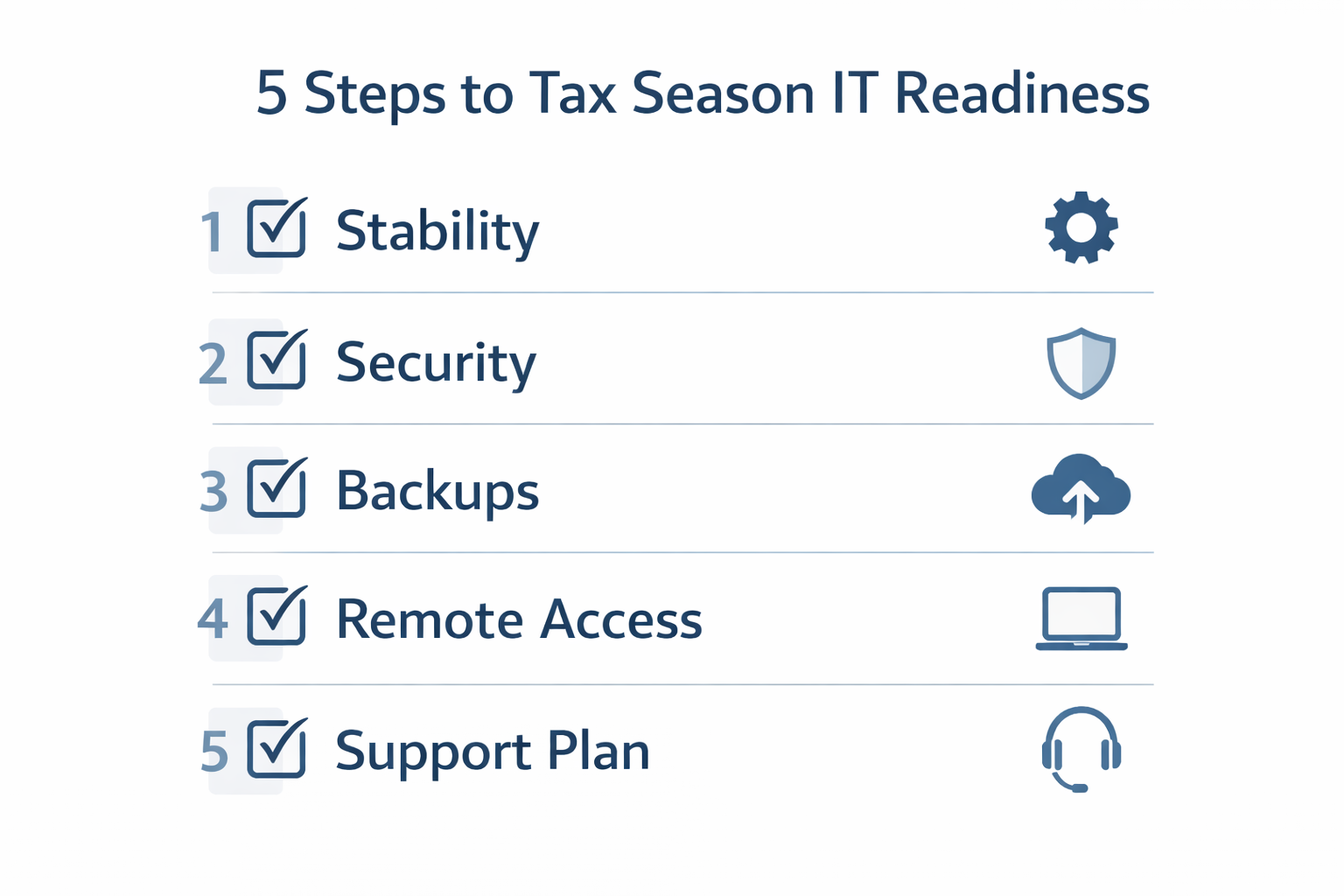
The 5-Step Tax Season IT Preparation Framework for CPA Firms
Follow these steps in order. In addition to preventing disruptions, this framework helps you document good IT hygiene for compliance and cyber insurance conversations.
Step 1: Confirm System Stability Before Peak Season
First, lock in stability. Tax season is not the time to experiment with big changes, so aim to eliminate avoidable surprises.
- Apply pending Windows/macOS updates and confirm successful reboots
- Patch third-party apps (browsers, PDF tools, Java/.NET dependencies, etc.)
- Check device health (disk space, failing drives, overheating, battery issues)
- Freeze non-essential system changes until after peak deadlines
Tip: If you’re upgrading anything major, do it in November/December—then stabilize in January.
Step 2: Tighten Security Without Slowing Down Work
Next, focus on security that protects your firm while staying usable. Because CPA workflows move fast, security must be strong and practical. For IRS-specific guidance, review the IRS Safeguards Rule and make sure your controls align.
- Require MFA for Microsoft 365, remote access, and admin accounts
- Remove shared logins and enforce least-privilege access
- Confirm endpoint protection is active and updating
- Review access for seasonal staff and contractors (grant only what they need)
- Verify email protection (phishing is most dangerous during deadline pressure)
If you want a deeper breakdown, see IRS IT security requirements for CPA firms.
Step 3: Test Backups and Recovery (Don’t Assume)
Backups only matter if you can restore quickly. Therefore, before peak deadlines arrive, test recovery so you know exactly what happens under pressure.

- Confirm backups run automatically (and verify the last successful run date)
- Test at least one restore (file/folder and, if possible, a full device image)
- Ensure backups are encrypted and protected from ransomware
- Confirm you can recover Microsoft 365 data (email, OneDrive, SharePoint)
- Document recovery time expectations (how long restores actually take)
Bottom line: If you haven’t tested a restore recently, you don’t have a backup—you have a hope.
Step 4: Verify Remote Access and Performance During Peak Hours
Many CPA firms rely on remote and hybrid work. However, the real question is whether access stays fast and stable when everyone is online at the same time.
- Test remote logins during peak hours (not just midday on a quiet Monday)
- Confirm VPN/secure access tools work reliably for every user
- Check internet speed and Wi-Fi reliability in the office
- Reduce bottlenecks (old routers, overloaded firewalls, outdated switches)
If remote performance slows down in February, it will almost certainly break down in March.
Step 5: Set Tax-Season Support Expectations (Response Time Matters)
Finally, define support expectations. When deadlines are fixed, response time becomes a business requirement, not a nice-to-have.
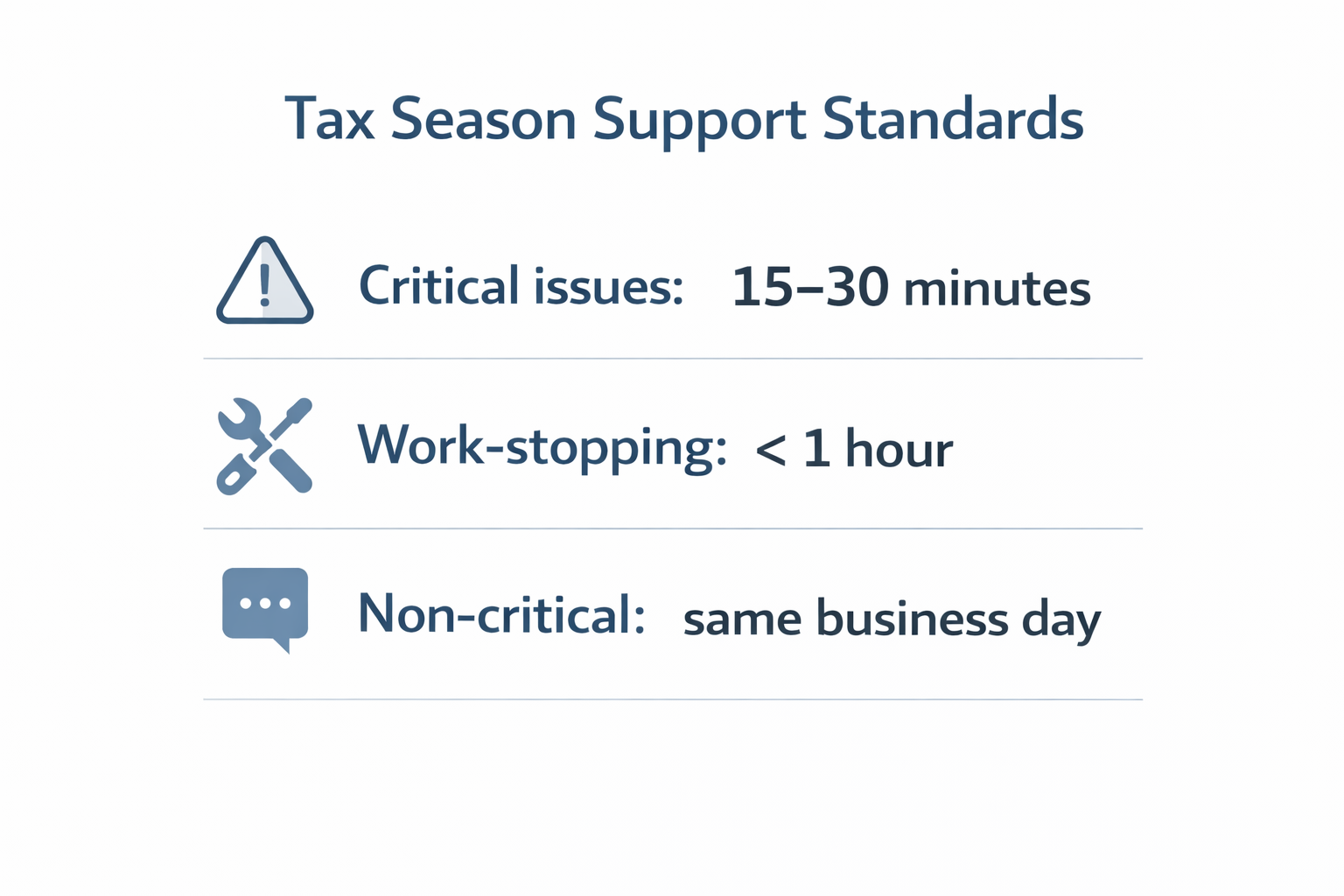
Before tax season ramps up, confirm:
- Who the primary and backup contacts are (on both sides)
- How you escalate urgent issues (and what qualifies as “urgent”)
- Expected response times for critical, work-stopping, and routine requests
- Whether support coverage changes during evenings/weekends in peak weeks
- How vendor coordination works for tax and accounting software issues
If you’re comparing providers or budgeting, start with what makes an MSP specialize in accounting firms and review managed IT pricing for CPA firms so you know what support and safeguards should be included.
Real CPA Firm Scenario
A CPA firm entered tax season with outdated workstations and untested backups. As a result, one failed device caused hours of disruption, and the team lost billable time during critical deadlines. After implementing a structured tax-season IT readiness process, the firm reduced downtime risk, improved response speed, and completed tax season without IT-related delays.
Quick Checklist: What to Do Next
- Schedule tax-season readiness work for early January (or earlier next year)
- Test restores and document recovery time expectations
- Confirm MFA, access controls, and seasonal staff permissions
- Validate remote performance during peak hours
- Align support expectations and escalation paths before deadlines hit
Call to Action
If you want to reduce tax-season risk without slowing down your team, start with a clear readiness review. We’ll identify the biggest weaknesses, prioritize fixes, and help you protect uptime during your busiest time of year.