


How do you know your CPA firm IT security is actually working? Your IT provider says your firm has backups, multi-factor authentication, and security software. You pay for those protections every month. But how do you know they cover the systems your team actually uses—and will work when you need them?
You do not need a scheduled audit to ask that question. You need confidence that client information is protected, your staff can keep working, and someone is accountable when something goes wrong.
To evaluate CPA firm IT security, ask your provider for recent evidence of recovery testing, access controls, device coverage, and alert response. A list of products explains what you bought. The evidence helps explain what those products are doing for your firm.
The question to bring to your next IT meeting: “Can you show us how you verified that this protection is working across our firm, including any exceptions?”
Why reliable helpdesk support does not answer the security question
Perhaps your provider answers quickly, knows your staff, and fixes printer issues without much fuss. Those are valuable qualities. However, they do not tell you whether a former employee can still access a client portal, whether every laptop is monitored, or whether a restored tax database will actually open.
Likewise, a quiet month does not establish that your security controls are effective. Without looking at the right evidence, you may simply have an incomplete picture.
The IRS guidance on protecting tax clients points tax professionals toward practical resources for safeguarding taxpayer information. These questions help you evaluate the service you already pay for. Use them before an insurance renewal, during an IT planning meeting, or whenever “we have that covered” needs a clearer explanation. They also build on our CPA cyber insurance guide: the next step is understanding what supports your answers.
Seven questions to test your CPA firm IT security
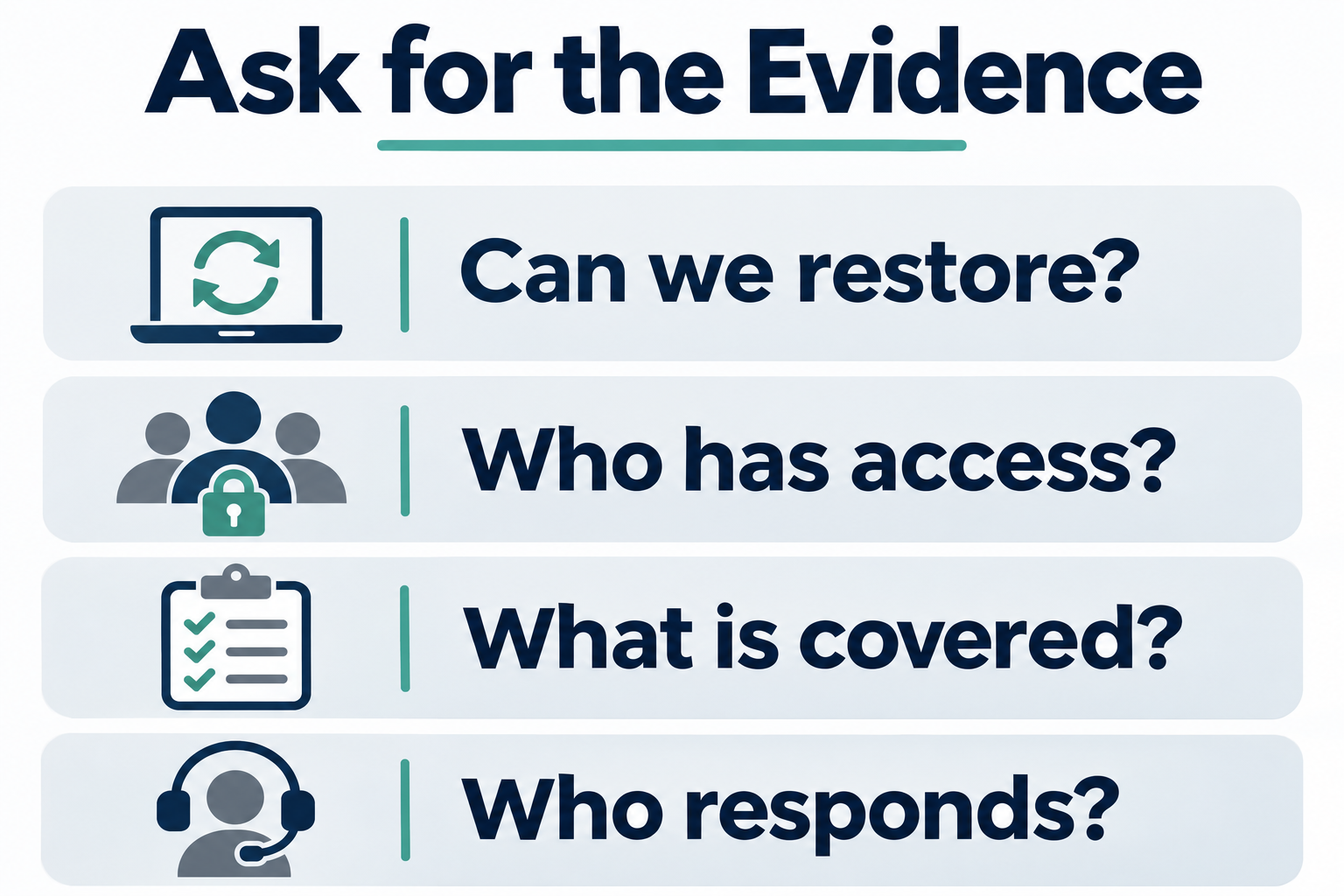
1. When did you last restore our data—and did someone open it?
The easy answer: “Your backups run every night.”
The tougher question: “Show us the last restore test for a system we depend on. What was recovered, how long did it take, and who confirmed it was usable?”
A backup job completing is different from your staff being able to resume work. A recovered QuickBooks company file may still need the right software version. A tax application may depend on a database, license service, or hosted environment that was not part of the test.
A useful answer includes: The date, system tested, result, elapsed time, dependencies, and any follow-up work. It also says what was not tested.
Push further if: The provider offers only a green backup dashboard or cannot identify a completed recovery exercise for your environment. Ask what it would take to test a representative workflow safely.
2. Where is MFA enforced—and where is it missing?
The easy answer: “Everyone has MFA.”
The tougher question: “Which systems and accounts require MFA, what exceptions exist, and how did you verify enforcement?”
Your email, remote access, client portal, hosted tax platform, and administrator accounts may use different sign-in systems. Registering an authentication app does not by itself show that every relevant sign-in requires it.
A useful answer includes: A dated summary of the systems reviewed, the enforcement settings, exceptions, and who owns any remaining gaps. For platforms managed by another vendor, your provider should identify who can confirm the answer.
Push further if: The answer covers Microsoft 365 but treats every other application as automatically protected. Ask the provider to walk through your actual application list.
3. Which devices are missing from your security reports?
The easy answer: “All your computers have endpoint protection.”
The tougher question: “Can you reconcile the devices in your security console with the equipment our people actually use?”
A dashboard showing 24 healthy devices does not establish that all 27 devices are covered. Those numbers are an illustration, but the question is practical: how does your provider find the equipment that never appears on the dashboard?
A useful answer includes: A comparison of the device inventory and monitoring coverage, including last check-in dates, inactive devices, supported operating systems, and documented exceptions.
Push further if: The report counts installed agents without checking for missing laptops, seasonal equipment, or personal devices used to access client information.
4. Who can still access our client data?
The easy answer: “We disable accounts when you tell us someone leaves.”
The tougher question: “Can we review the access held by former employees, seasonal staff, outside contractors, and vendor support teams across our main systems?”
Removing an email account may not remove a separate portal login or access to a hosted application. Permissions can also accumulate as people change jobs within the firm.
A useful answer includes: An access review checked against a current staff and contractor list, an explanation of privileged accounts, and an offboarding record showing which systems were addressed. Your firm must help confirm who still needs access.
Push further if: Nobody can explain the boundaries between your provider’s offboarding work and the accounts your office manager or software vendor must remove.
5. What happens to a serious security alert after business hours?
The easy answer: “We monitor your systems 24/7.”
The tougher question: “Who sees the alert, who investigates, who can take action, and when would you contact us?”
Continuous collection of alerts and continuous human response are different service commitments. Your agreement should make clear what your firm receives and where another security provider is involved.
A useful answer includes: The response responsibilities, service hours, escalation path, and an example of a safely redacted alert record or an agreed test. Ask who has authority to isolate a device or disable a compromised account.
Push further if: “24/7” cannot be translated into a clear process. Also ask what happens if the firm’s primary contact does not answer.
6. Which security problems are still unresolved?
The easy answer: “Everything looks good.”
The tougher question: “Show us the open risks, exceptions, and overdue fixes affecting our firm. What are you waiting on from us?”
An older tax application, unsupported server, delayed update, or overly broad shared folder may have a business explanation. The important question is whether someone has identified it, explained the consequence, and assigned a next step.
A useful answer includes: A short list of open issues, business impact, responsible people, target dates, and decisions needed from management. Closed items should have evidence of the fix.
Push further if: Recurring issues disappear from monthly conversations without a resolution, or a known exception has no owner. A provider that openly explains a gap may be giving you a more useful answer than one that reports only good news.
7. Can you connect our written security plan to our actual systems?
The easy answer: “You have a WISP on file.”
The tougher question: “Choose three commitments in our plan and show us how they operate today.”
For example, if the plan says former employees lose access, ask for an offboarding record. If it describes recovery testing, ask for the test result. If it limits access to approved devices, ask how that is implemented.
The FTC Safeguards Rule guide explains why covered businesses need to keep their security programs current and oversee service providers.
A useful answer includes: Specific links between your procedures and operational evidence, plus any differences that need correcting.
Push further if: The plan describes tools, vendors, or workflows the firm no longer uses. Our CPA WISP guide discusses the written plan; this conversation checks whether daily work matches it.
How to evaluate the answers about CPA firm IT security
A capable provider may need time to collect records, redact sensitive details, or coordinate with a software vendor. An inability to produce everything during a phone call does not establish poor service.
What matters is whether the provider understands the request, identifies the owner, agrees on a reasonable delivery date, and follows through. Look for evidence with four qualities:
- Specific: It relates to your systems and users.
- Dated: You can tell when the check or test happened.
- Complete about scope: It explains what is covered and what is excluded.
- Actionable: Gaps have owners and next steps.
Generic product brochures, repeated verbal assurances, or reports with unexplained omissions deserve follow-up. If a test or review is outside your agreement, ask the provider to explain the scope, cost, and options.
Evaluating cybersecurity for accounting firms starts with a provider that can account for its work. That is a reasonable expectation to bring to any relationship, including BITS.
Start with three requests at your next IT meeting
When reviewing your CPA firm IT security, you do not need to request every technical record at once. Start here:
- The latest meaningful restore-test result. Can your people use what was recovered?
- A coverage and access summary. Which devices, accounts, and applications were checked, and where are the exceptions?
- The current open-risk list. Who owns each issue, and what decision is needed next?
Send these requests ahead of the meeting. Agree on what your provider will bring, then use the discussion to decide what needs attention. Request summaries or redacted records through a secure channel; you do not need passwords or copies of client tax returns to have this conversation.
If you are comparing providers, our guide to evaluating managed IT providers for CPA firms can help you connect these answers to service scope and accountability.
Frequently asked questions about CPA firm IT security
How can a CPA firm tell whether its IT security is working?
Ask for recent evidence of recovery testing, access controls, device coverage, and alert handling. Review the scope, exceptions, and follow-up actions with your provider. No single report proves that every risk is controlled.
Should our IT provider answer every question immediately?
No. Collecting accurate evidence may take time. Expect a clear owner, an agreed delivery date, and an explanation of any limits. Repeated vague answers or missed commitments warrant further discussion.
Does a good helpdesk mean we have good cybersecurity?
Responsive support is valuable, but it does not demonstrate that security controls cover your environment or that recovery has been tested. Evaluate support quality and security evidence together.
Do unclear answers mean we should change IT providers?
Not automatically. Give your provider a clear request and an opportunity to respond. Persistent gaps in evidence, ownership, or follow-through can help you decide whether to improve the agreement or evaluate other providers.
Not getting clear answers from your IT provider?
You should be able to understand how your firm is protected without becoming a security specialist.
If the answers remain vague, bring your questions to a 15-Minute IT & Security Review with BITS. We can discuss what your provider has explained, what remains unclear, and whether a deeper review would be useful. The introductory call is a conversation, not a technical test of your systems.
For firms in Nashville and Middle Tennessee, learn more about our managed IT support for accounting firms.
Get Clarity on Your CPA Firm’s IT Security